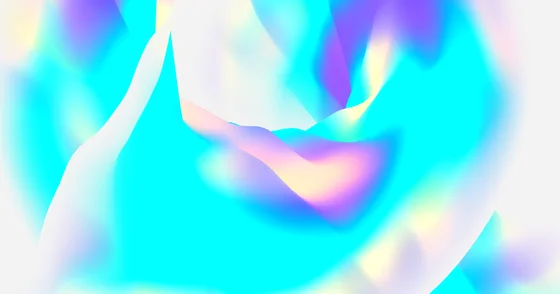
What it is
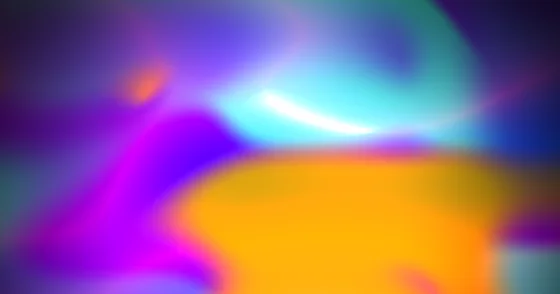
Magenta and cyan against deep indigo, brightened, at high speed and amplitude. The dark base colour appears twice in the palette, which is what keeps the bright hues reading as light sources rather than flat fills.
Good for
Space, sci-fi, gaming, crypto.
Formula
#0F0635#FF00EA#00EFFF#8B6AE6#0F0635
| Colours | 5 |
|---|---|
| Speed | 3.5 |
| Wave amplitude | 7 |
| Saturation | 0 |
| Brightness | 1.2 |
| Grain | 0 |
Use this preset
Install the package and pass the config straight to the constructor. These are the values that shape this preset; everything else stays at its default.
npm install @firecms/neatimport { NeatGradient } from "@firecms/neat";
const gradient = new NeatGradient({
ref: document.getElementById("gradient"),
colors: [
{ color: "#0F0635", enabled: true },
{ color: "#FF00EA", enabled: true },
{ color: "#00EFFF", enabled: true },
{ color: "#8B6AE6", enabled: true },
{ color: "#0F0635", enabled: true },
],
speed: 3.5,
horizontalPressure: 4,
verticalPressure: 5,
waveFrequencyX: 3,
waveFrequencyY: 3,
waveAmplitude: 7,
shadows: 2,
highlights: 8,
colorBrightness: 1.2,
colorSaturation: 0,
wireframe: false,
colorBlending: 5,
backgroundColor: "#01012B",
backgroundAlpha: 1,
resolution: 0.8,
grainScale: 0,
grainSparsity: 0,
grainIntensity: 0,
grainSpeed: 0
});Every value, for an exact match
new NeatGradient({
  ref: document.getElementById("gradient"),
  colors: [
    { color: "#0F0635", enabled: true },
    { color: "#FF00EA", enabled: true },
    { color: "#00EFFF", enabled: true },
    { color: "#8B6AE6", enabled: true },
    { color: "#0F0635", enabled: true },
    { color: "#FBFF00", enabled: false },
  ],
  speed: 3.5,
  horizontalPressure: 4,
  verticalPressure: 5,
  waveFrequencyX: 3,
  waveFrequencyY: 3,
  waveAmplitude: 7,
  shadows: 2,
  highlights: 8,
  colorBrightness: 1.2,
  colorSaturation: 0,
  wireframe: false,
  colorBlending: 5,
  backgroundColor: "#01012B",
  backgroundAlpha: 1,
  grainScale: 0,
  grainSparsity: 0,
  grainIntensity: 0,
  grainSpeed: 0,
  resolution: 0.8,
  yOffset: 107207,
  yOffsetWaveMultiplier: 9.4,
  yOffsetColorMultiplier: 7.1,
  yOffsetFlowMultiplier: 6.8,
  flowDistortionA: 1.8,
  flowDistortionB: 2.2,
  flowScale: 2,
  flowEase: 0.35,
  flowEnabled: true,
  enableProceduralTexture: false,
  transparentTextureVoid: false,
  textureVoidLikelihood: 0.29,
  textureVoidWidthMin: 120,
  textureVoidWidthMax: 420,
  textureBandDensity: 2.9,
  textureColorBlending: 0.06,
  textureSeed: 536,
  textureEase: 0.93,
  proceduralBackgroundColor: "#775454",
  textureShapeTriangles: 20,
  textureShapeCircles: 15,
  textureShapeBars: 15,
  textureShapeSquiggles: 10,
  domainWarpEnabled: true,
  domainWarpIntensity: 0.8,
  domainWarpScale: 4,
  vignetteIntensity: 0.6,
  vignetteRadius: 0.55,
  fresnelEnabled: true,
  fresnelPower: 2,
  fresnelIntensity: 1.8,
  fresnelColor: "#00EFFF",
  iridescenceEnabled: false,
  iridescenceIntensity: 0.5,
  iridescenceSpeed: 1,
  bloomIntensity: 0,
  bloomThreshold: 0.6,
  chromaticAberration: 5,
  shapeType: "torus",
  shapeRotationX: 0.26,
  shapeRotationY: -0.5,
  shapeRotationZ: 0,
  shapeAutoRotateSpeedX: 0,
  shapeAutoRotateSpeedY: 0,
  sphereRadius: 15,
  torusRadius: 23,
  torusTube: 9.8,
  cylinderRadius: 10,
  cylinderHeight: 40,
  planeBend: 0,
  planeTwist: 0,
  silhouetteFade: 1,
  cylinderFade: 0.08,
  ribbonFade: 0.05,
  flatShading: false,
  cameraLock: false,
  cameraX: 0,
  cameraY: 0,
  cameraZ: 0,
  cameraRotationX: -0.1,
  cameraRotationY: -3.75,
  cameraRotationZ: 0,
  cameraZoom: 2.7
});
Prefer a file? Open it in the editor and export a PNG still or an MP4 loop — see the gradient video guide.