What it is
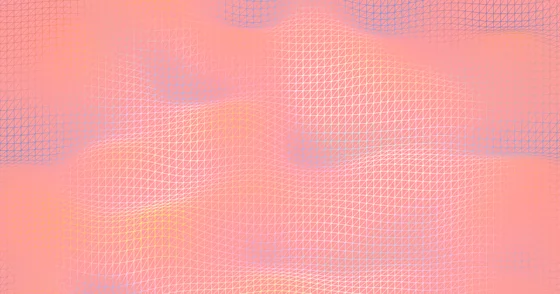
Whites, creams and pale blues with the grain scale pushed far past every other preset. The colour differences are almost imperceptible; what you actually see is texture. The closest thing to paper in the set, and the only preset that works with dark body text out of the box.
Good for
Light-theme sites, documentation, print-inspired layouts.
Formula
#FFFFFF#EFE2CE#D5ECEB#E4E4E4#F6FFFF
| Colours | 5 |
|---|---|
| Speed | 2 |
| Wave amplitude | 2 |
| Saturation | -3 |
| Brightness | 1 |
| Grain | 100 |
Use this preset
Install the package and pass the config straight to the constructor. These are the values that shape this preset; everything else stays at its default.
npm install @firecms/neatimport { NeatGradient } from "@firecms/neat";
const gradient = new NeatGradient({
ref: document.getElementById("gradient"),
colors: [
{ color: "#FFFFFF", enabled: true },
{ color: "#EFE2CE", enabled: true },
{ color: "#D5ECEB", enabled: true },
{ color: "#E4E4E4", enabled: true },
{ color: "#F6FFFF", enabled: true },
],
speed: 2,
horizontalPressure: 4,
verticalPressure: 5,
waveFrequencyX: 4,
waveFrequencyY: 3,
waveAmplitude: 2,
shadows: 5,
highlights: 7,
colorBrightness: 1,
colorSaturation: -3,
wireframe: false,
colorBlending: 7,
backgroundColor: "#00A2FF",
backgroundAlpha: 1,
resolution: 0.35,
grainScale: 100,
grainSparsity: 0,
grainIntensity: 0.05,
grainSpeed: 0.3
});Every value, for an exact match
new NeatGradient({
  ref: document.getElementById("gradient"),
  colors: [
    { color: "#FFFFFF", enabled: true },
    { color: "#EFE2CE", enabled: true },
    { color: "#D5ECEB", enabled: true },
    { color: "#E4E4E4", enabled: true },
    { color: "#F6FFFF", enabled: true },
  ],
  speed: 2,
  horizontalPressure: 4,
  verticalPressure: 5,
  waveFrequencyX: 4,
  waveFrequencyY: 3,
  waveAmplitude: 2,
  shadows: 5,
  highlights: 7,
  colorBrightness: 1,
  colorSaturation: -3,
  wireframe: false,
  colorBlending: 7,
  backgroundColor: "#00A2FF",
  backgroundAlpha: 1,
  grainScale: 100,
  grainSparsity: 0,
  grainIntensity: 0.05,
  grainSpeed: 0.3,
  resolution: 0.35,
  yOffset: 97605,
  yOffsetWaveMultiplier: 5,
  yOffsetColorMultiplier: 4.5,
  yOffsetFlowMultiplier: 5.5,
  flowDistortionA: 0.4,
  flowDistortionB: 3,
  flowScale: 3.3,
  flowEase: 0.53,
  flowEnabled: true,
  enableProceduralTexture: false,
  transparentTextureVoid: false,
  textureVoidLikelihood: 0.06,
  textureVoidWidthMin: 10,
  textureVoidWidthMax: 500,
  textureBandDensity: 0.8,
  textureColorBlending: 0.06,
  textureSeed: 333,
  textureEase: 0.48,
  proceduralBackgroundColor: "#003FFF",
  textureShapeTriangles: 20,
  textureShapeCircles: 15,
  textureShapeBars: 15,
  textureShapeSquiggles: 10,
  domainWarpEnabled: true,
  domainWarpIntensity: 0.05,
  domainWarpScale: 0.5,
  vignetteIntensity: 0,
  vignetteRadius: 0.8,
  fresnelEnabled: false,
  fresnelPower: 2,
  fresnelIntensity: 0.5,
  fresnelColor: "#FFFFFF",
  iridescenceEnabled: false,
  iridescenceIntensity: 0.5,
  iridescenceSpeed: 1,
  bloomIntensity: 0,
  bloomThreshold: 0.7,
  chromaticAberration: 0,
  shapeType: "plane",
  shapeRotationX: 0,
  shapeRotationY: 0,
  shapeRotationZ: 0,
  shapeAutoRotateSpeedX: 0,
  shapeAutoRotateSpeedY: 0,
  sphereRadius: 15,
  torusRadius: 15,
  torusTube: 5,
  cylinderRadius: 10,
  cylinderHeight: 40,
  planeBend: 0,
  planeTwist: 0,
  silhouetteFade: 0.25,
  cylinderFade: 0.08,
  ribbonFade: 0.05,
  cameraLock: true,
  cameraX: 0,
  cameraY: 0,
  cameraZ: 0,
  cameraRotationX: 0,
  cameraRotationY: 0,
  cameraRotationZ: 0,
  cameraZoom: 1
});
Prefer a file? Open it in the editor and export a PNG still or an MP4 loop — see the gradient video guide.